
Windows 11 & Windows 10 End of Support: Should You Upgrade Your Computer?

Windows 10 reached the end of its standard support lifecycle on 14 October 2025. While Windows 10 computers do not simply stop working, continuing to use an unsupported operating system can increase security and compatibility risks over time.
For many computer owners, the important question is not simply “Can I install Windows 11?” but whether upgrading the existing computer is practical, whether some hardware improvements would provide better value, or whether replacement should be considered.
Armadale IT Support can help assess your computer, check Windows 11 compatibility and explain the available options so you can make an informed decision.
Book a Windows 11 Compatibility Check today
1. Will my computer support Windows 11?
Windows 11 has specific hardware and security requirements. A computer must meet Microsoft’s minimum requirements before Windows 11 is officially supported.
Key requirements include:
- A compatible 64-bit processor
- 4 GB RAM or more
- 64 GB storage or more
- UEFI firmware with Secure Boot capability
- TPM 2.0
- A compatible graphics adapter and display
Meeting the minimum requirements does not necessarily mean that upgrading is the best option. The age and condition of the computer, available storage, memory, performance and the applications you use should also be considered.
Microsoft’s PC Health Check application can be used to check whether a computer meets the Windows 11 requirements.
If your computer does not pass the compatibility check, this does not automatically mean it needs to be replaced. Armadale IT Support can help identify why it does not qualify and whether configuration changes, hardware upgrades or replacement are the more practical option.
2. What Are the Key Features of Windows 11?
Key Windows 11 Features and Improvements
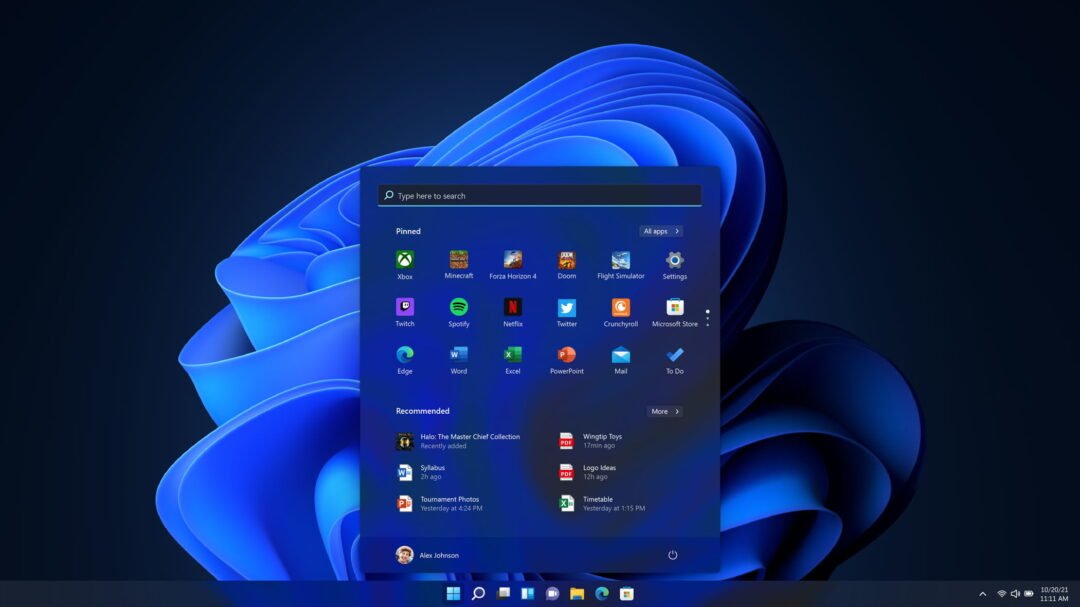
Windows 11 has continued to evolve since its original release, with Microsoft introducing changes to the interface, security, productivity and integration with other devices.
Some of the more useful features include:
- Snap Layouts and improved multitasking – organise multiple application windows more easily across your screen.
- Updated Start menu and interface – a redesigned desktop, Start menu, taskbar and system interface.
- File Explorer improvements – including tabbed browsing and improvements to file management.
- Security improvements – Windows 11 places greater emphasis on hardware-backed security, including TPM 2.0, Secure Boot and modern authentication technologies.
- Phone integration – Microsoft’s Phone Link can provide access to supported phone notifications, messages, calls and other functions from your computer.
- Ongoing feature updates – Windows 11 continues to receive new features and improvements through regular Windows updates.
Some Windows 11 features depend on your computer’s hardware, edition, Microsoft account, region or other requirements, so not every feature is available on every computer.
More articles…

Why Your Small Business Needs IT Documentation – And How Armadale IT Support Can Help
Small business owners often call an IT technician for a simple issue—like an email login problem or account access issue. However, what should be a quick fix can quickly turn into a deep dive into your entire IT infrastructure. The reason? A complete lack of IT...

Windows Security & Microsoft Defender: Is Additional Antivirus Software Necessary?
What to do if your antivirus is not working and how to make sure your computer is protected from online threats.

Slow laptop or PC? Here is what you can do to make it faster.
Try these handy simple tips to speed up your Windows computer.
Not Sure Whether to Upgrade or Replace Your Computer?
If your computer is still running Windows 10, does not meet the Windows 11 requirements, or is becoming slow or unreliable, replacement is not always the only option.
Armadale IT Support can assess the computer, check Windows 11 compatibility and consider its hardware, condition and performance. We can then explain whether an operating system upgrade, hardware upgrade, continued use with appropriate precautions, or replacement is the more practical option.
Contact Armadale IT Support to arrange a computer assessment.